

How to Make Money Online With Typing Skills: 10 Real Ways
If you can type quickly and accurately, you already own a skill that businesses pay for every single day. Audio needs turning into text, videos need captions, databases need updating, and customers need answers in live chat — and behind almost all of that work sits a person at a keyboard. Learning how to make money online with typing skills is really about matching the speed and accuracy you already have to the jobs that pay for them.
Table of Content
- Why Typing Is a Genuinely Marketable Skill
- How Fast Do You Need to Type? WPM Benchmarks
- How to Test and Improve Your Typing Speed for Free
- How to Choose the Right Typing Job for You
- The 10 Real Ways to Make Money Online With Typing Skills
- 1. General Transcription
- 2. Closed Captioning and Subtitling
- 3. Data Entry Jobs
- 4. Live Chat and Email Customer Support
- 5. Freelance Writing
- 6. Virtual Assistant Typing Work
- 7. Legal Transcription
- 8. Medical Transcription
- 9. Document Typing and Conversion Services
- 10. Microtask Typing and Data Labelling
- A Simple 7-Day Starter Plan
- How Much Can You Realistically Earn Typing Online?
- Stay Safe: Typing Jobs Are a Favourite Scam Costume
- The Golden Rule: Never Pay to Get Paid
- Typing-Specific Scams to Recognise on Sight
- A Five-Minute Safety Check for Any Typing Offer
- Frequently Asked Questions
- How fast do I need to type to make money online?
- Can I make money typing on my phone instead of a computer?
- How much can you realistically make typing online per month?
- Are online typing jobs legit, or are they all scams?
- Conclusion
This guide walks you through 10 real ways to earn with typing: what each job actually involves, the typing speed you realistically need, how to start step by step, and how much it honestly pays. You will also find free ways to test and improve your speed, realistic earnings for your first months, and a scam section you should read before applying anywhere — fake “typing jobs” are one of the oldest and most common scams in this entire niche.
You do not need formal experience to begin with most of these methods. If you are starting with no work history at all, several of them pair naturally with the routes in our guide to legit ways to make money online with no experience, where typing is one of the everyday skills that quietly qualifies you for more than you might expect.

Why Typing Is a Genuinely Marketable Skill
It is easy to dismiss typing as something everyone can do. Almost everyone can type a message, but far fewer people can type 60 accurate words per minute for two hours, format a transcript to a style guide, keep customer replies professional at speed, or enter data for an afternoon without errors creeping in. That gap between “can type” and “can type fast, accurately, and reliably” is exactly what employers and platforms pay for.
Demand is steady because text is the backbone of online business. Podcasts and videos need transcripts and captions for accessibility and search. Companies sit on recordings, paper forms, and messy spreadsheets that need to become clean digital text. Customer support has shifted heavily from phones to chat and email, which is typing work wearing a headset-free disguise.
You may wonder whether AI transcription tools have killed this work. They have changed it, not ended it. Automated transcripts still contain errors with names, accents, technical terms, and overlapping speakers, so human typists increasingly do the transcription, captioning, and proofing work where accuracy actually matters — legal, medical, business, and published content. The typists who earn best are the ones who treat accuracy as their product.
How Fast Do You Need to Type? WPM Benchmarks
Typing speed is measured in words per minute (WPM), and almost every platform or employer in this guide either tests it or quickly discovers it. Accuracy matters just as much: 70 WPM with constant errors is worth less than 50 WPM that comes out clean. Here are realistic benchmarks for each path in this guide.
- Data entry: 45–60 WPM with very high accuracy. Many employers test at 50 WPM and care even more about error rates and ten-key number-pad speed.
- General transcription: 50–70 WPM is comfortable. You can start around 40 WPM, but you will earn slowly until speed builds, because pay is per audio minute, not per hour of your time.
- Closed captioning: 60–80 WPM helps a lot, because captions must also be timed to speech, and slow typists fall behind the audio.
- Live chat and email support: 35–50 WPM. Many employers set a 40 WPM minimum in their hiring test; chat agents often handle two or three conversations at once.
- Virtual assistant work: 40–60 WPM covers inbox, documents, and data tasks comfortably.
- Freelance writing: Nobody tests you, but 40+ WPM keeps your typing roughly level with your thinking, which is where writing starts to feel easy.
- Legal and medical transcription: 65–85 WPM plus specialist vocabulary. These are trained roles, not starter roles, and the pay reflects it.
If you currently type 30–40 WPM, you are not locked out. Chat support, beginner data entry, and microtasks are open to you today, and a month of deliberate practice can add 5–10 WPM — enough to unlock transcription work. Speed is trainable, which is more than can be said for most job requirements.
How to Test and Improve Your Typing Speed for Free
Start by measuring yourself honestly. Free one-minute and five-minute tests on sites such as TypingTest.com, Monkeytype, and 10FastFingers will give you a WPM score and an accuracy percentage in under five minutes. Take a five-minute test rather than a one-minute sprint: employers care about the pace you can hold, not your best sixty seconds.
Then improve with structured practice instead of random tests. Free touch-typing courses on TypingClub, Keybr, and Ratatype rebuild your technique from the home row up, teaching you to type without looking at the keyboard — the single change that unlocks real speed. Fifteen focused minutes a day is enough. Most people who practise daily gain noticeable speed within three to four weeks.
Two rules make practice pay. First, chase accuracy before speed: slow down until you are above 95% accuracy, then let pace build on its own, because error-correction habits are what actually slow typists down. Second, practise with realistic material — news articles, transcripts, customer-service phrases — rather than word lists alone, since punctuation, capitals, and numbers are where real-world speed is won and lost. Retest once a week and write your score down; watching the number climb is excellent motivation, and you will need that score for applications anyway.
How to Choose the Right Typing Job for You
Match the job to your speed, your schedule, and your preference for freelance or employed work. If you want a predictable paycheck and set hours, chat and email support roles at real companies are the closest thing to a normal job here. If you want to work whenever you sit down, transcription, captioning, and data-entry platforms let you log in and take files on your own timetable — which is also why typing work suits people whose free hours fall late in the day; if that is you, our guide on how to make money online at night covers the schedule side in more depth.
Be honest about your current speed, too. At 40 WPM, start where 40 WPM is enough and train upward while earning. At 60+ WPM, go straight for transcription and captioning, where speed converts directly into hourly earnings. Either way, pick one main path and give it a few consistent weeks before judging it — typing income rewards people whose speed and ratings compound, not people who restart every Monday.
The 10 Real Ways to Make Money Online With Typing Skills
1. General Transcription
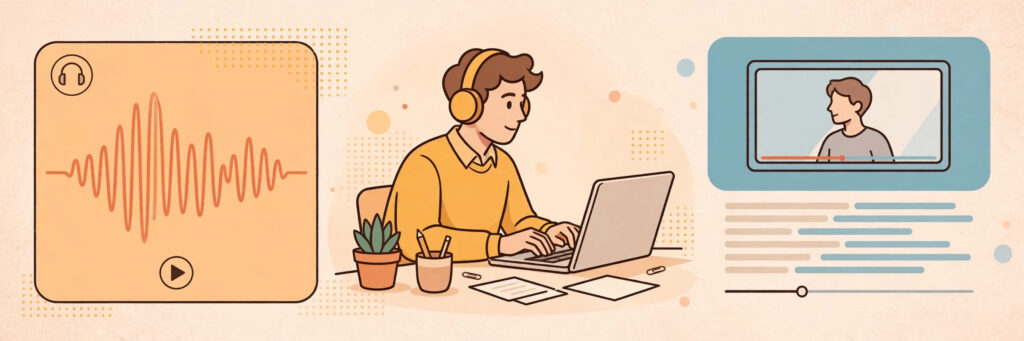
What it is: Transcription means listening to audio or video — interviews, podcasts, meetings, lectures, webinars — and typing exactly what is said, formatted to a style guide. It is the single largest category of typing work online, and the main platforms accept beginners who pass a test file.
How to start: Practise by transcribing ten minutes of a podcast and comparing your text against its published transcript. Then apply to established platforms such as Rev, GoTranscript, and TranscribeMe, and follow their style guides to the letter on test files — formatting accuracy is what gets you approved. Use a comfortable headset and learn your player’s speed and rewind shortcuts before your first paid file.
Typing speed needed: 50–70 WPM is comfortable; 40 WPM is a workable start.
Realistic pay: Entry platforms commonly pay around $0.30 to $1.10 per audio minute depending on the platform and file difficulty, with GoTranscript advertising averages near $0.60 per audio minute. Because one audio hour takes a beginner three to four hours to transcribe, early effective earnings are often $8 to $15 per working hour, rising toward $15 to $25 as speed and accuracy improve. Platforms typically pay weekly via PayPal.
2. Closed Captioning and Subtitling
What it is: Captioners type what is said in a video and time each caption to appear with the speech, splitting lines so viewers can read comfortably. Streaming, online courses, and social video have made this a growth area, and it pays better than plain transcription because it combines typing with timing judgement.
How to start: Build on transcription first — most captioners start there. Rev runs a dedicated captioning programme alongside its transcription work, and other media-accessibility companies hire captioners directly. Practise by captioning a short video with free captioning tools until you can keep captions synchronised without pausing every few seconds.
Typing speed needed: 60–80 WPM. Captions move at the speed of speech, and slow typists spend their earnings on rewinding.
Realistic pay: Captioning rates on major platforms commonly run around $0.54 to $1.10 per video minute for English captioning, with experienced captioners reporting effective rates of $15 to $30 per working hour. Work volume fluctuates, so many captioners keep transcription as a backup queue.
3. Data Entry Jobs
What it is: Data entry means moving information from one place to another accurately: paper forms into spreadsheets, business cards into a CRM, product details into a store catalogue, survey responses into a database. It is unglamorous, plentiful, and the method most often imitated by scammers — so apply only through the routes below.
How to start: Legitimate data entry comes from three places: staffing agencies that place remote admin workers, freelance platforms such as Upwork where clients post defined projects, and operations or admin job listings on real company careers pages. Prepare for typing and accuracy tests, and learn spreadsheet basics — sorting, filters, and simple formulas multiply the jobs you qualify for.
Typing speed needed: 45–60 WPM with near-perfect accuracy; number-pad speed is a genuine bonus.
Realistic pay: Employed remote data-entry roles commonly pay around $13 to $20 per hour in the U.S., while freelance project work often works out to $8 to $18 per hour depending on country and client. Anyone advertising $40 per hour for simple data entry with no interview is describing a scam, not a job — see the safety section below.
4. Live Chat and Email Customer Support
What it is: Many companies now handle customer questions by chat and email instead of phone. Agents type replies — often using saved templates they personalise — track orders, process refunds, and escalate problems. If you write clearly and stay calm with frustrated people, this is stable, typing-based employment.
How to start: Search reputable job boards and company careers pages for “remote chat agent,” “email support,” and “customer support — written” roles, and apply only on the company’s own site. Expect a typing test (usually around 40 WPM) and a written assessment with sample customer scenarios. Practise professional, friendly replies to common questions beforehand.
Typing speed needed: 35–50 WPM. Most employers test near 40 WPM.
Realistic pay: Entry-level remote support commonly pays around $12 to $20 per hour in the U.S., sometimes as a salaried role with benefits, paid on a normal payroll schedule. It is the steadiest income in this guide, traded against fixed shifts.
5. Freelance Writing
What it is: Every blog post, product description, newsletter, and help-centre article online was typed by someone. Freelance writers are paid per word, per article, or per project to produce that text, and typing speed quietly determines your real hourly rate: at the same per-word rate, a 60 WPM writer simply finishes more paid work.
How to start: Write three sample articles on subjects you know and publish them on a free platform so clients can judge your writing. Create profiles on freelance marketplaces with a narrow starter offer — “four 500-word blog posts for local businesses” beats “I write anything” — and price modestly until you have reviews, then raise rates steadily.
Typing speed needed: No formal test; 40+ WPM keeps drafting comfortable.
Realistic pay: Beginners commonly earn $0.03 to $0.08 per word or $25 to $75 per article, with experienced niche writers earning $150 or more per piece. Writing has the highest ceiling of any method here, but income builds over months, not days, and your first paid piece may take two to three weeks to land.
6. Virtual Assistant Typing Work
What it is: Virtual assistants support business owners remotely, and a large share of the job is typing: answering and organising email, drafting documents, updating CRM records, formatting spreadsheets, transcribing voice notes, and posting prepared content. Owners hire for reliability and discretion far more than for credentials.
How to start: List the typing-heavy tasks you can already do in tools like Gmail, Google Docs, Sheets, and a CRM if you know one. Package a starter offer — five hours a week of inbox and document support, for example — and apply through freelance platforms, VA job boards, and direct pitches to small businesses and coaches, who hire beginners most readily.
Typing speed needed: 40–60 WPM across email, documents, and data tasks.
Realistic pay: Beginner VAs commonly charge $10 to $20 per hour, with experienced or specialised assistants reaching $25 or more. One part-time client often means a few hundred dollars a month, paid weekly or monthly by invoice or through the platform — agree the schedule in writing before you start.
7. Legal Transcription
What it is: Legal transcriptionists type depositions, hearings, interviews, and dictated legal documents into precisely formatted transcripts. Accuracy requirements are strict and deadlines are firm, which is exactly why this specialisation pays more than general transcription.
How to start: This is a trained path, not a starter one. Build general transcription experience first, then complete a legal transcription course that teaches legal terminology, formatting, and confidentiality rules, and learn the style requirements courts and law firms expect. Work comes through transcription agencies that service law firms, and confidentiality agreements are standard.
Typing speed needed: 65–85 WPM, with accuracy treated as non-negotiable.
Realistic pay: Legal transcriptionists commonly earn around $20 to $35 per hour equivalent once established, with certified or highly experienced specialists earning more. Expect the training and agency approval process to take weeks to months before the better rates arrive.
8. Medical Transcription
What it is: Medical transcriptionists (also called healthcare documentation specialists) convert doctors’ dictated notes into accurate patient records. Because errors can affect real medical care, this field requires formal training in medical terminology, anatomy, and privacy law — it is included here so you can plan toward it honestly, not because it is a quick start.
How to start: Complete a recognised medical transcription or healthcare documentation programme, which typically takes several months, and look for certification through the industry association. Employers are usually hospitals, clinics, and large transcription services, and they test terminology as well as typing.
Typing speed needed: 65–80 WPM plus fluent medical vocabulary.
Realistic pay: Trained medical transcriptionists commonly earn around $15 to $25 per hour equivalent, varying with employer, country, and whether pay is per line or hourly. Treat the training period as an investment: it is the barrier that keeps this work paid and in demand.
9. Document Typing and Conversion Services
What it is: Individuals and small businesses constantly need text moved between formats: scanned pages or PDFs typed into editable Word documents, handwritten notes typed up, audio memos turned into clean documents, old records digitised. Freelancers sell exactly this as packaged services.
How to start: Create gigs on freelance marketplaces with precise offers — “I will type your PDF into an editable Word document within 24 hours” — with clear per-page or per-document pricing and a sample showing before-and-after quality. Deliver early, format beautifully, and ask for reviews; neat presentation is your entire differentiator in a crowded category.
Typing speed needed: 50+ WPM keeps per-page pricing profitable; accuracy sells the gig.
Realistic pay: Individual gigs commonly sell for $10 to $40 depending on length and turnaround, and a steady flow of small orders can add up to a few hundred dollars a month. Income is uneven — this works best alongside one steadier method from this list.
10. Microtask Typing and Data Labelling
What it is: Microtask platforms break big projects into tiny paid tasks: typing CAPTCHA-style text is not part of it, but categorising images, verifying business details, transcribing short receipt snippets, and labelling data for AI training are. Each task takes seconds to minutes and needs no interview.
How to start: Register with established microtask and data-labelling platforms, complete their qualification tests carefully, and build an accuracy record — accuracy unlocks the better-paid task categories. Work in focused blocks, track which task types pay best per hour for you, and drop the ones that do not.
Typing speed needed: 35–50 WPM is plenty; accuracy matters more than raw speed here.
Realistic pay: Expect roughly $3 to $10 per hour depending on platform, task type, and country. This is honest top-up income, not a salary — but it pays weekly on many platforms, requires no approval process, and is a reasonable way to earn while your speed builds toward transcription or support work.

A Simple 7-Day Starter Plan
On day one, take a five-minute typing test and write down your WPM and accuracy. Read the scam section of this guide carefully — before you apply anywhere — and set up a separate work email with two-factor authentication. On days two and three, start fifteen minutes of daily touch-typing practice, and choose your main method using the benchmark section: chat support or data entry if you are under 50 WPM, transcription or captioning if you are above it.
On days four and five, act: submit your transcription test files, apply to three support roles on company careers pages, or publish your first document-typing gig. Prepare whatever the method needs — a headset, a practise transcript, three writing samples. On day six, review your practice scores, fix the weakest part of your applications, and apply again. On day seven, rest, then set next week’s speed target five WPM higher.
This plan works wherever you live and whatever your current job is, because every method here is fully remote. Readers building income from smaller communities will also find the remote-work ideas in our guide on how to make money online living in a small town a useful companion, since none of these typing jobs care where your desk happens to be.
How Much Can You Realistically Earn Typing Online?
Honest numbers depend on your speed, your method, and your hours — anyone who quotes you a guaranteed figure is selling something. As a grounded picture: a beginner typing part-time on transcription or data-entry platforms commonly earns $200 to $600 in their first months, with effective hourly rates of $8 to $15 that climb as speed and accuracy improve. Chat and email support is steadier: at $12 to $20 per hour, even a 20-hour week produces predictable pay comparable to other entry-level remote jobs.
With six to twelve months of consistent work, the picture improves mainly through speed and specialisation. Faster transcriptionists and captioners reach effective rates of $15 to $30 per hour, virtual assistants stack two or three clients, and writers raise per-word rates with a portfolio. Legal and medical transcription sit at the higher end precisely because training keeps competition out. What typing income rarely does is arrive instantly: expect the first one to two weeks to be applications, tests, and setup before the first payout lands.
For full transparency about how this site talks about money, please read our Disclaimer. Every figure in this guide is a realistic range based on commonly reported rates, not a promise — your results will depend on your country, speed, accuracy, and how consistently you show up.
Stay Safe: Typing Jobs Are a Favourite Scam Costume
Read this section twice. “Typing jobs” are among the most heavily scammed searches in the entire make-money-online world, because the work sounds simple, the barrier to entry sounds low, and scammers know beginners will pay a small fee when a well-paid job seems one step away. The scams below target typing searches specifically.
The Golden Rule: Never Pay to Get Paid
Legitimate platforms and employers earn money from their customers, not from their workers. If a “typing job” asks you to pay a registration fee, an activation charge, a training fee, or a deposit for “typing software” before you can start, it is a scam — full stop. Real transcription platforms test you for free. Real employers provide tools or use ones you already have. The moment money is asked to flow from you to the “employer,” the job does not exist.
Typing-Specific Scams to Recognise on Sight
- The per-page fantasy. Ads promising “$5 per page typed” or “$500 a day for simple copy typing” describe pay no real market offers. Genuine copy typing pays a fraction of that; the advert exists to collect your fee or your details.
- The Telegram or WhatsApp recruiter. A friendly “HR manager” contacts you on a messaging app, gives you simple typing tasks, shows a fake balance growing in an app, then asks you to pay to “unlock” or “withdraw” your earnings. The balance is fictional and the withdrawal fee is the entire scam.
- The fake cheque. You are “hired” to type and process payments, sent a cheque to deposit, and told to forward most of it. The cheque bounces days later and you owe the bank the full amount.
- Clone platform websites. Scammers copy the names and logos of real companies like Rev or GoTranscript onto lookalike sites, then charge “application fees” or steal documents. Always navigate to the real platform yourself — the genuine links are the ones in this guide — and never apply through a link sent by a stranger.
- Document harvesting. Being asked for your passport, national ID, or bank login before any interview or offer is identity theft in progress. Real employers verify identity after a formal offer, through secure systems.
The U.S. Federal Trade Commission’s guidance on job scams at consumer.ftc.gov explains these schemes in plain language and is worth reading in full before your search begins.
A Five-Minute Safety Check for Any Typing Offer
Before accepting any work: search the company name plus “scam” and “review” and read what workers say on independent forums. Confirm the offer explains exactly how and when you get paid, through a known method like PayPal or direct deposit. Refuse any fee, any cheque handling, and any request to move the conversation off a platform immediately. Test small — complete one short task or file, reach the minimum payout, and withdraw successfully before investing serious hours. And apply the pause test: a real opportunity survives a night’s sleep and a second look; a scam usually cannot.

Frequently Asked Questions
How fast do I need to type to make money online?
It depends on the job. Chat and email support roles usually test around 35–50 WPM, data entry expects 45–60 WPM with very high accuracy, and general transcription becomes genuinely profitable at 50–70 WPM. Captioning and specialist transcription reward 60 WPM and above. If you are slower today, you are not shut out: microtasks, beginner data entry, and some support roles are open at 35–40 WPM, and fifteen minutes of daily touch-typing practice typically adds 5–10 WPM within a month or two. Accuracy counts as much as speed everywhere — a clean 50 WPM beats a sloppy 70 WPM with every employer in this guide.
Can I make money typing on my phone instead of a computer?
Realistically, almost no. Transcription, captioning, data entry, and support platforms are built for a physical keyboard, and phone typing speeds — usually 30–40 WPM with high error rates — make per-minute and per-task pay painfully slow. A few microtask apps work on phones, but the typing-specific work in this guide needs a laptop or desktop and a real keyboard. If budget is the obstacle, a basic second-hand laptop pays for itself quickly in this field, and your speed on it will roughly double what your thumbs can do. Treat any app promising high pay for phone “typing jobs” with extra suspicion — it is a common scam lure.
How much can you realistically make typing online per month?
For a beginner working part-time, $200 to $600 per month is a realistic early range across transcription, data entry, and microtasks combined with steady effort. Full-time chat or email support at typical entry rates produces a steadier $1,900 to $3,200 per month before tax in the U.S. pay range, similar to other entry-level remote employment. Experienced captioners, fast transcriptionists, and trained legal or medical specialists earn more per hour, while freelance writers have the widest range of all — from very little in month one to solid professional rates with a portfolio. None of these figures is guaranteed; they are ranges based on commonly reported rates.
Are online typing jobs legit, or are they all scams?
Both exist in large numbers, which is exactly why this guide separates them so carefully. The work itself is completely real: established platforms like Rev, GoTranscript, and TranscribeMe pay typists every week, and thousands of companies employ remote chat agents, data-entry staff, and transcriptionists. The scams cluster around the advertising of typing jobs — social media posts, messaging-app recruiters, and fee-charging fake agencies — rather than on the established platforms themselves. If you apply only through official platform websites and real company careers pages, never pay any fee, and verify how you will be paid before you start, you will avoid nearly all of it.
Conclusion
Typing is one of the most underrated money-making skills online precisely because it looks ordinary. In practice, fast and accurate typing is the entry ticket to transcription, captioning, data entry, customer support, virtual assistance, and writing — real work, with real pay, that you can start at the speed you have today and grow by training the skill itself.
So test your speed, pick the method your current WPM qualifies you for, protect yourself with the scam checks, and give it a consistent month while your speed and ratings climb together. You will find more step-by-step guides like this one in our Make Money Online category — and the keyboard you are reading this on is genuinely all the equipment most of them require.